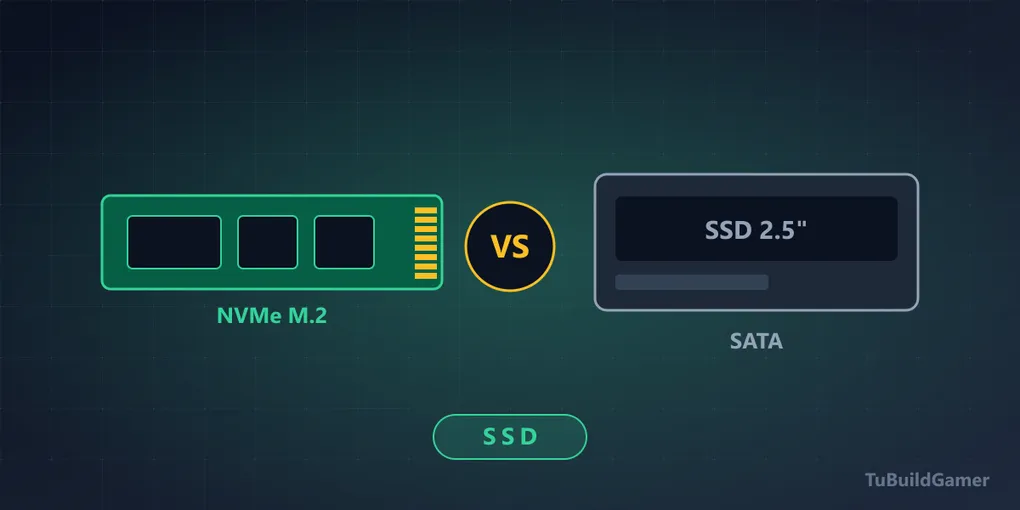
NVMe vs SATA SSD for Gaming: Which to Choose and When It Doesn't Matter
If you’re picking storage for your PC, you’ll have run into the eternal question: NVMe or SATA? Short answer: in 2026, buy NVMe — the price difference is minimal and the advantages are real. But understanding why (and when it doesn’t matter) will keep you from overpaying for speeds you’ll never use.
And there’s a second question, more important than this one, that almost nobody asks: two SSDs with the same advertised speed can behave completely differently. We cover it below, because that’s where the money actually gets lost.
The differences in 30 seconds
| SATA SSD | NVMe Gen 4 SSD | |
|---|---|---|
| Read speed | ~550 MB/s | ~7,000 MB/s |
| Connector | SATA cable | M.2 slot (straight to the board) |
| Form factor | 2.5” enclosure | Gum-stick |
| Price per GB | Similar | Similar |
Yes, you read that last row right: today they cost practically the same. That’s reason number one why this debate has all but died.
Prices and the three tiers
The global NAND shortage (the chip that is 90% of an SSD’s cost), driven by AI datacenter demand, has multiplied prices ~4× in nine months according to Tom’s Hardware and GamersNexus. Buying references today:
| Tier | Recommendation | Good price (August 2026) |
|---|---|---|
| Entry | 1 TB NVMe Gen 4 | ~$140 or less |
| Mid | 2 TB NVMe Gen 4 | ~$250-300 (listings up to $480 exist — don’t pay them) |
| High | 4 TB Gen 4 | $500+ only if you genuinely need it |
Gen 5 still isn’t worth it for gaming: the price gap turned absurd and the FPS difference is near zero. And as with RAM: if you see a price near 2024 levels, buy immediately — analysts don’t expect relief until late 2027.
The spec that actually separates a good SSD from a bad one
Here’s what spec sheets hide and no “MB/s” comparison will tell you. Two drives with the same advertised speed can run three times slower than each other in real use.
Two things explain it:
1. DRAM cache, or the lack of it. Cheap SSDs are DRAM-less: they save the memory chip that stores the map of where each piece of data lives. Without it, the drive takes longer to locate small, scattered files — exactly what a game does while loading. Sequential benchmarks show nothing; real use does.
2. TLC versus QLC. That’s the NAND cell type. QLC stores more data per cell, so it’s cheaper per gigabyte, but it’s slower to write and survives fewer write cycles. For a game library you write once and read often, that’s acceptable. As your main Windows drive, it isn’t.
And the effect that combines them, which is the one you’ll feel: nearly every SSD uses part of its space as a fast cache (SLC). While you’re copying inside that cache you get 7,000 MB/s. When you exhaust it — typically between 50 and 150 GB depending on the model — speed falls off a cliff. On a DRAM-less QLC drive, that drop can take you below 100 MB/s, slower than a mechanical hard drive.
In practice: installing a 120 GB game on a cheap SSD can start fast and end up crawling.
What to look for on the spec sheet before buying:
- “DRAM cache” or “with DDR4/DDR5 cache” → good sign.
- “TLC” or “3D TLC” → good sign. If it isn’t stated, it’s usually QLC.
- “HMB” (Host Memory Buffer) → the DRAM-less workaround. Better than nothing, worse than real DRAM.
- If the sheet mentions none of the three, search the exact model in a review with a sustained write test. It’s the only one that reveals the cliff.
Check your M.2 slots before buying
A two-minute step that avoids a return:
- Find your board’s exact model (in the manual, or via
Win+R→msinfo32→ “BaseBoard Product”). - Search “model M.2 slots” and check how many there are and which are free.
- Read the fine print: on many boards, using the second M.2 slot disables a SATA port or reduces the lanes to the GPU slot. It’s in the manual and it catches a lot of people out.
If you have no free M.2 slots, that’s when a SATA drive makes sense. Board criteria in which motherboard to buy.
What actually shows in gaming?
Here’s the honest part few people tell you: the difference between a good SATA drive and an NVMe in game load times is smaller than marketing suggests — usually 1 to 5 seconds per loading screen. Why? Because loading a game isn’t just reading data: the CPU has to decompress it, and that’s usually the bottleneck.
But there are two increasingly important exceptions:
- DirectStorage: modern games using it load textures straight from the SSD to the GPU, and there a fast NVMe does make a noticeable difference. More titles adopt it every year.
- Open-world asset streaming: games with huge worlds load scenery as you move. On a slow SSD you get pop-in — objects materialising in front of you.
Where NVMe wins outright
- Windows and general boot: the system feels snappier.
- Creative work: video editing, moving large files, exporting projects.
- Cable tidiness: M.2 plugs straight into the board, no SATA or power cables.
- Laptops and mini-PCs: most no longer include 2.5” bays at all.
Gen 3, Gen 4 or Gen 5?
- Gen 3 (~3,500 MB/s): perfectly fine if you find it on sale. For gaming you won’t notice the gap to Gen 4.
- Gen 4 (~7,000 MB/s): the value sweet spot in 2026. Our default recommendation.
- Gen 5 (~14,000 MB/s): expensive, hot, and with near-zero benefit for gaming today. A heatsink is mandatory: without one it heats up and throttles, leaving you below a well-cooled Gen 4. Leave it for workstations.
On heatsinks: most B650-and-up boards include one for the primary slot. If yours doesn’t, a $10 generic is enough for a Gen 4.
When does SATA still make sense?
- You already own one: don’t retire it; use it as a secondary drive for your less demanding library.
- Your board has no free M.2 slots: a 2 TB SATA as bulk storage is a smart move.
- Upgrading an older PC: going from a mechanical hard drive to a SATA SSD is still the most dramatic upgrade there is. NVMe doesn’t apply if the board has no M.2.
Frequently asked questions
Is NVMe better than SATA? In raw speed, yes — up to 13× the sequential read (7,000 vs 550 MB/s). In game load times, the practical gap is 1 to 5 seconds per screen. Where you’ll feel it most: Windows boot, file transfers and DirectStorage games.
What’s the difference between NVMe and SATA? The interface. SATA uses a bus designed for mechanical drives with a ~550 MB/s ceiling; NVMe connects the SSD directly to the CPU’s PCIe lanes. The physical format changes too: a 2.5” enclosure with cables versus an M.2 stick straight into the board.
Is a cheap NVMe better than a good SATA? This is the question that actually matters, and the answer surprises people: a SATA drive with DRAM and TLC cells can outperform a DRAM-less QLC NVMe in real use, especially on long writes. The interface matters less than the quality of the drive.
NVMe or SATA for gaming in 2026? NVMe, no question, if you’re buying today: they cost practically the same and leave you ready for DirectStorage. SATA only makes sense as a secondary drive or if your board has no free M.2 slots.
Is it worth swapping SATA for NVMe if I already have an SSD? For current games, not urgent — the real gain is small. But your next storage purchase should be NVMe.
Bottom line
For a new build in 2026: a 1 TB Gen 4 NVMe with DRAM cache and TLC cells, from a recognisable brand. That combination matters more than any MB/s figure on the box.
Building the whole PC? See how the SSD fits the total budget in the budget gaming PC guide.